Setting Mandatory Access Control Mac With Selinux
It is recommended that you set up some form of MAC on the Docker host, either through SELinux or AppArmor, depending on the Linux distribution. In this recipe, we’ll see how to set up SELinux on a Fedora/RHEL/CentOS installed system. Let’s first look at what SELinux is:
-
SELinux is a labeling system
-
Every process has a label
-
Every file, directory, and system object has a label
-
Policy rules control access between labeled processes and labeled objects
-
The kernel enforces the rules
With Docker containers, we use two types of SELinux enforcement:
-
Type enforcement : This is used to protect the host system from container processes. Each container process is labeled
svirt_lxc_net_t, and each container file is labeledsvirt_sandbox_file_t. Thesvirt_lxc_net_ttype is allowed to manage any content labeled withsvirt_sandbox_file_t. Container processes can only access/write container files. -
Multi Category Security enforcement : By setting type enforcement, all container processes will run with the
svirt_lxc_net_tlabel, and all content will be labeled withsvirt_sandbox_file_t. However, with just these settings, we are not protecting one container from another because their labels are the same.
We use Multi Category Security ( MCS ) enforcement to protect one container from another, which is based on Multi Level Security ( MLS ). When a container is launched, the Docker daemon picks a random MCS label, for example, s0:c41,c717 and saves it with the container metadata. When any container process starts, the Docker daemon tells the kernel to apply the correct MCS label. As the MCS label is saved in the metadata, if the container restarts, it gets the same MCS label.
Getting ready
You’ll require a Fedora/RHEL/CentOS host with the latest version of Docker installed, which can be accessed through a Docker client.
How to do it…
Fedora/RHEL/CentOS gets installed by default with SELinux in enforcing mode, and the Docker daemon is set to start with SELinux. To check whether these conditions are being met, perform the following steps.
- Run the following command to make sure SELinux is enabled:
$ sudo setenforce 1
$ getenforce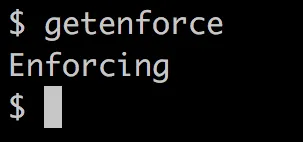
If the preceding command returns Enforcing , then it’s all good. If not, then we need to change it by updating the SELinux configuration file ( /etc/selinux/config ) and rebooting the system.
- Docker should be running with the
--selinux-enabledoption. You can check the Docker daemon configuration (/etc/docker/daemon.json) file. Also, cross-check whether the Docker service has started with the SELinux option:
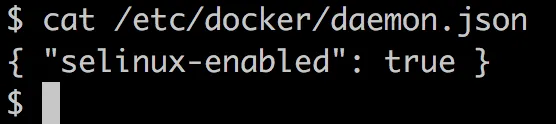
$ docker info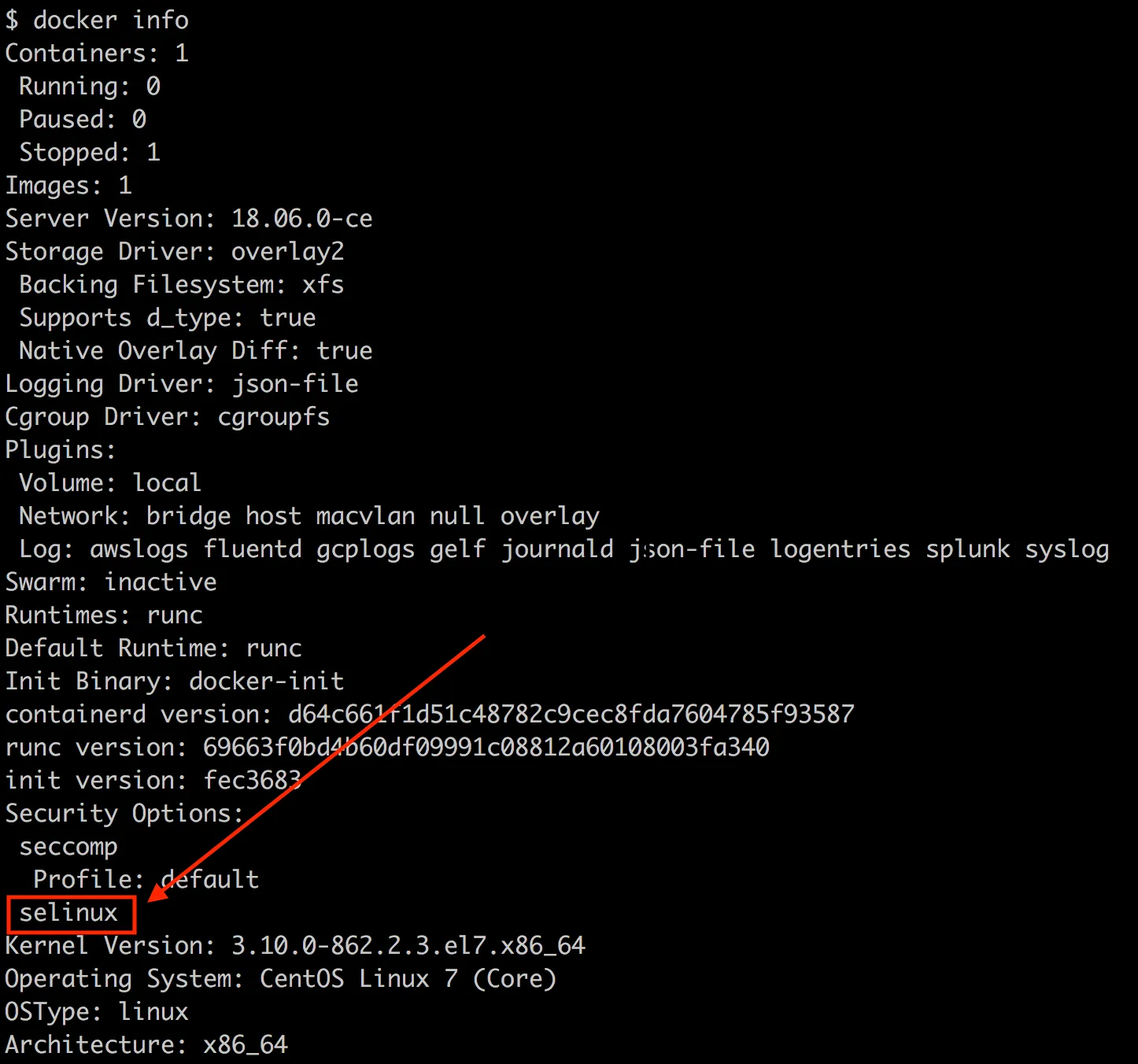
The preceding command assumes that you are not starting Docker in daemon mode manually.
Let’s start a container (without the privileged option) after mounting a host directory as a volume and try to create a file in that:
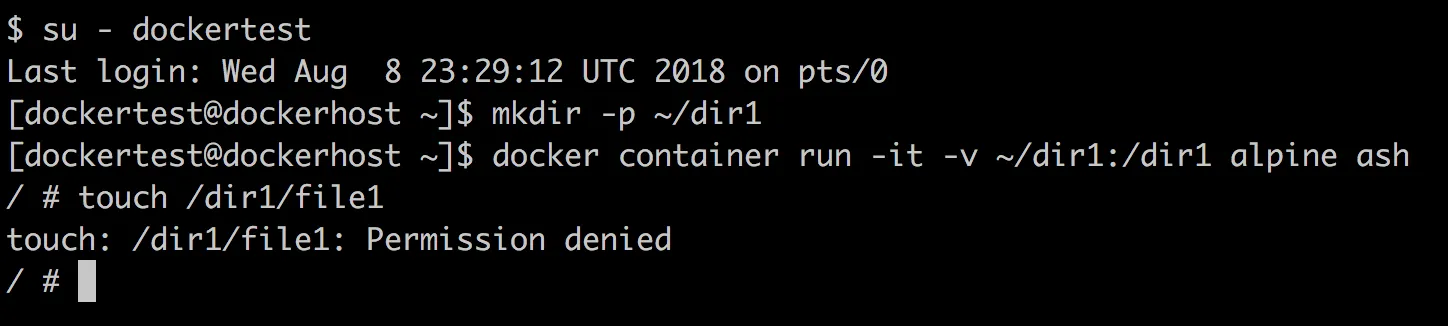
As expected, we see Permission denied because a container process with the svirt_lxc_net_t label cannot create files on the host’s filesystem. If we look at the SELinux logs ( /var/log/audit/audit.log ) on the host, we will see messages similar to the following:

The s0:c24,c960 label is the MCS label on the container.
How it works…
SELinux sets both Type and Multi Category Security enforcement when the right options are set for SELinux and Docker. The Linux kernel enforces these enforcements.
There’s more…
There is a lot we can do with SELinux to help make our system more secure. The following are a few more tips:
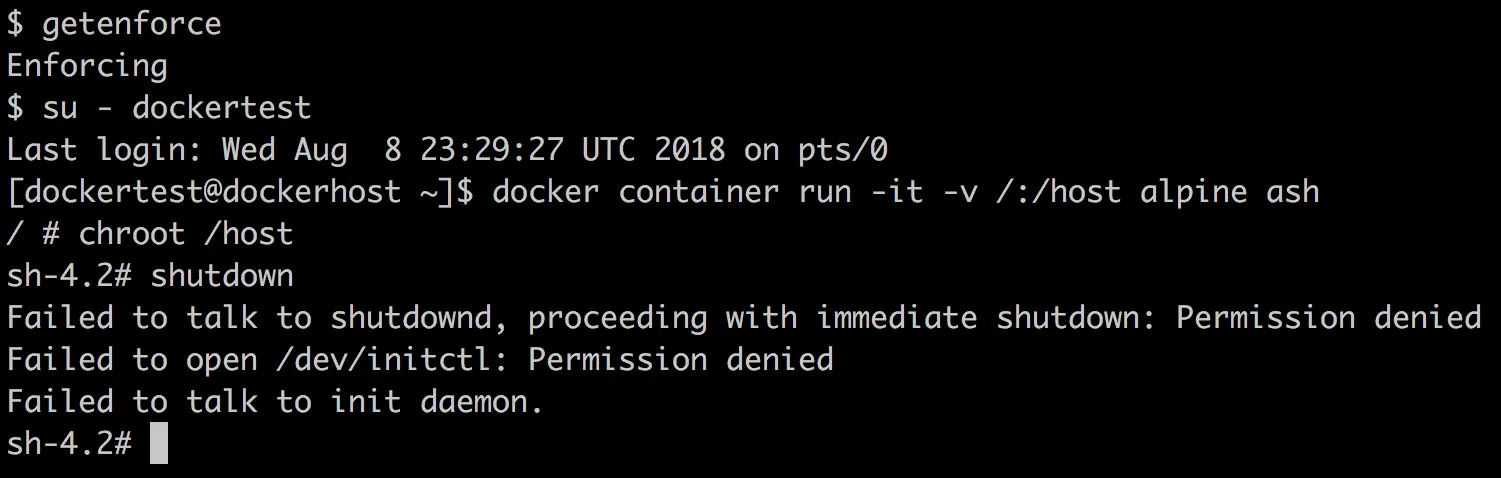
- If SELinux is in the enforcing mode and the Docker daemon is configured to use SELinux, then we will not be able to shut down the host from the container, like we did earlier in this chapter:
-
As we know, by default, all the containers will run with the
svirt_lxc_net_tlabel, but we can also adjust SELinux labels for custom requirements. Try visiting the Adjusting SELinux labels section of http://opensource.com/business/15/3/docker-security-tuning. -
Setting up MLS with Docker containers is also possible. Try visiting the Multi Level Security mode section of http://opensource.com/business/15/3/docker-security-tuning.
See also
The SELinux Coloring Book is available at https://people.redhat.com/duffy/selinux/selinux-coloring-book_A4-Stapled.pdf.