Working With Images Using Apis
As mentioned earlier, Docker internally uses the Docker engine API to fulfill all our containerization need
s. In this recipe, we will be using the curl command and the Docker engine APIs to perform various operations on the Docker images.
How to do it…
In this recipe, we’ll look at a few image operations, as follows:
- To list images, use the following API:

Here is an example of the preceding syntax:
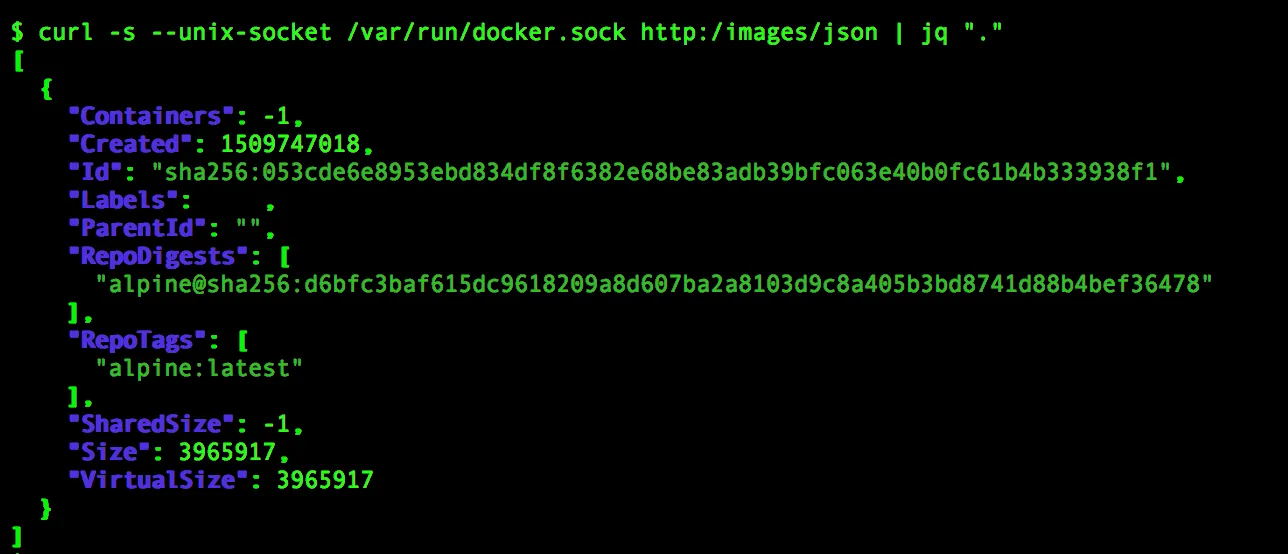
- You can create an image by pulling it from any registry or tar file using the following API:

The /images/create API supports a few options, as listed next, to work with images:
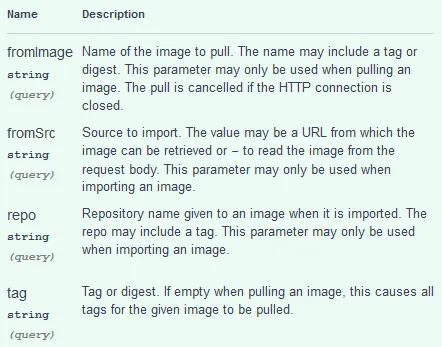
Now let’s look into a few examples:
- Get the
cookbook/apache2image from Docker Hub:
$ curl -X POST \
    --unix-socket /var/run/docker.sock \
http:/images/create?fromImage=cookbook/apache2- Get the WordPress image with the
latesttag:

- Create an image from the
tarfile:
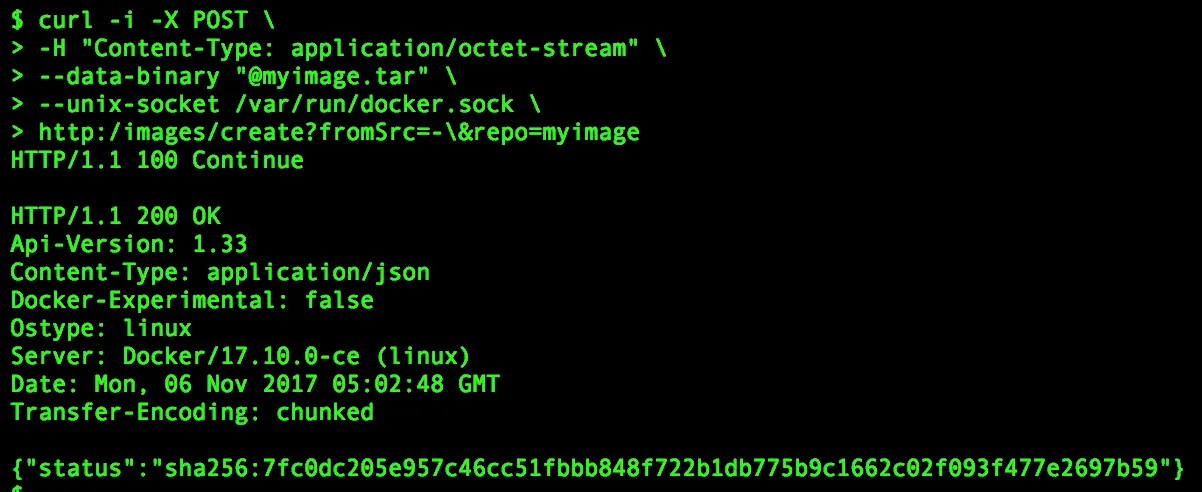
In this example, we chose to upload the image as a tar bundle from the Docker host using the --data-binary option of the curl command. Here, the content of myimage.tar is sent to the Docker daemon through the HTTP message body. If you pay closer attention to the curl command invocation, you will notice the -i option. We are using the -i option of the curl command to get HTTP header information.
To delete an image, use the following API:

Here is an example of the preceding syntax:
$ curl -X DELETE \
           --unix-socket /var/run/docker.sock \
           http:/images/wordpress:latest
How it works…
In this recipe, we performed various operations on the Docker image using the curl command. The curl command sends our API request to the Docker daemon as a REST API request over HTTP. The Docker daemon, in turn, will perform the requested action on the image and reply back with the status of the action.
There’s more…
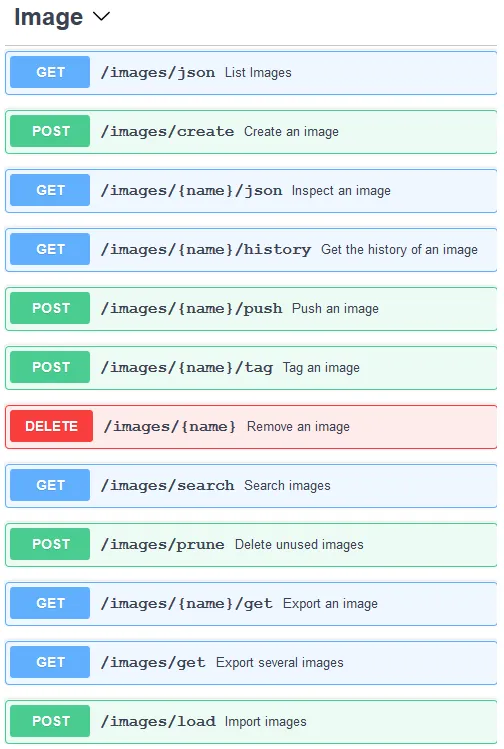
In this recipe, we just covered three APIs related to Docker image handling, but there are more. The following screenshot lists all the available /images APIs:
See also
- Each API endpoint can have different inputs to control operations. For more details, visit the documentation on the Docker website at https://docs.docker.com/engine/api/latest/.